
The safe phrase, made automatic
Know it’s
really them.
Scammers can fake a familiar voice. SafePhrase gives your family a secret word that changes every minute, so you always know it’s really them and a scammer is stopped in their tracks.
Free on iPhone and Android, with Apple Watch support.
Free to start · No phrase ever leaves your device
Meet SafePhrase
Your secret weapon
in the AI age.
A rotating three-word phrase only your circle can see, refreshed every minute. When a call sounds exactly like someone you love, just ask for the phrase. If they can’t say it, it isn’t them. Simple enough for a grandparent, impossible for a scammer to fake.
See how it worksThe new threat
A familiar voice isn’t proof anymore.
AI can now clone a loved one’s voice from seconds of audio. “Mum, it’s me, I’m in trouble, I need money” has never sounded more convincing. The only safe answer is something a scammer can’t have: a shared secret that changes every minute.
You’ve heard the advice
A safe word is a great start.
SafePhrase makes it foolproof.
Banks and the police now urge families to agree a safe phrase to catch impersonation scams. It’s exactly the right idea. But a word you pick once and never change has three weak spots, and a scammer only needs one.
A word you agree yourself
- cancel Forgotten when it matters. A panicked “emergency” call is the worst moment to recall a word agreed months ago.
- cancel Overheard once, gone for good. If it’s ever heard, guessed or phished, it stays compromised forever.
- cancel Hard to roll out. Agreeing one word across parents, kids and grandparents, then remembering to change it, rarely happens.
SafePhrase
- check_circle Nothing to remember. Each person’s phone shows the current phrase the instant they need it.
- check_circle Changes every minute. An overheard phrase is useless moments later, so it can never be reused against you.
- check_circle Set up once, automatic forever. Everyone installs it once and every phone stays in sync on its own.
How it works
Three steps to peace of mind
Create a circle
Set up a trusted circle and invite your family or close friends, with a short personal video sealed into each invite so they know it’s really you asking.
Everyone sees the same phrase
Each person’s app shows an identical 3-word phrase that refreshes every 60 seconds.
Check any call or message
Suspicious call? Ask for the phrase. Suspicious message? Send a challenge into that conversation. Only your real person can answer it.
Private by design
We never see your secret.
SafePhrase generates the phrase right on each device from a shared secret. That secret is created on your phone and shared only with your circle through your invite. It’s never uploaded to or stored on our servers. There’s nothing for us to leak or hand over, because we never have it.
- check_circleOn-device generation: phrases never touch our servers
- check_circleThe shared secret is never uploaded to us
- check_circleWorks even with no signal
- check_circleSecrets stored in your device’s secure storage
Features
Simple to use, hard to fool
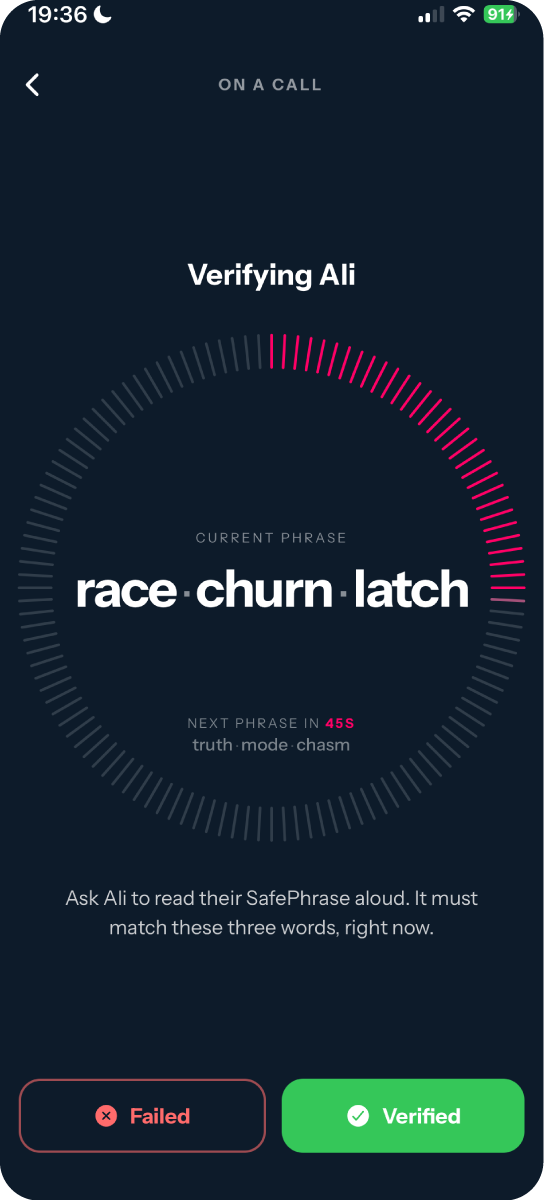
Verify on a call
Already talking? Just ask for the phrase. If they can’t say today’s three words, it isn’t them.
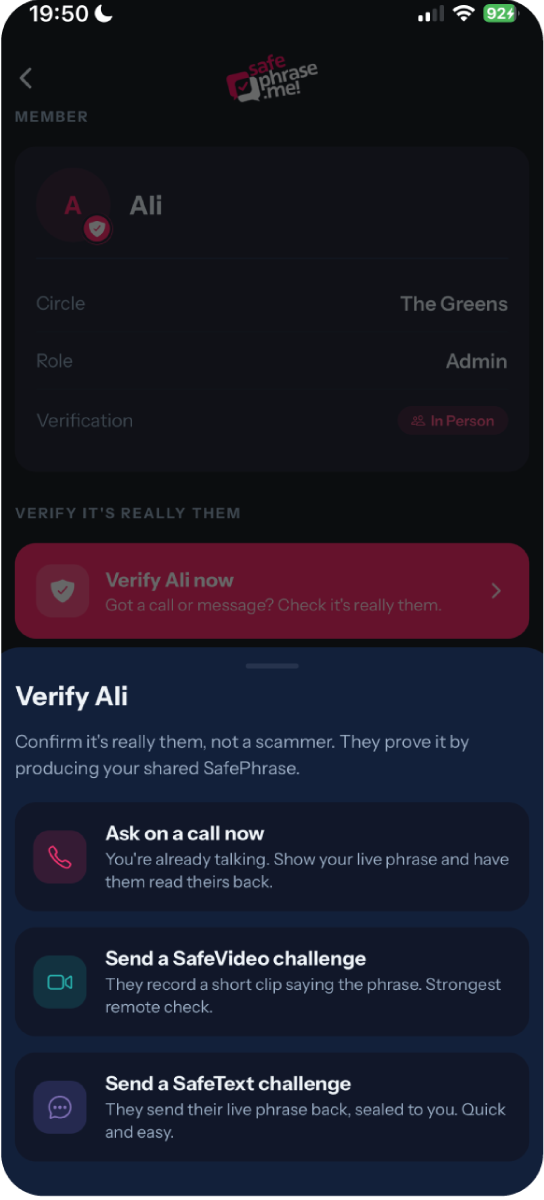
Send a SafeText challenge
Unsure about a text or email? Send a challenge into that same conversation. They tap it and the live phrase comes back sealed so only you can read it.
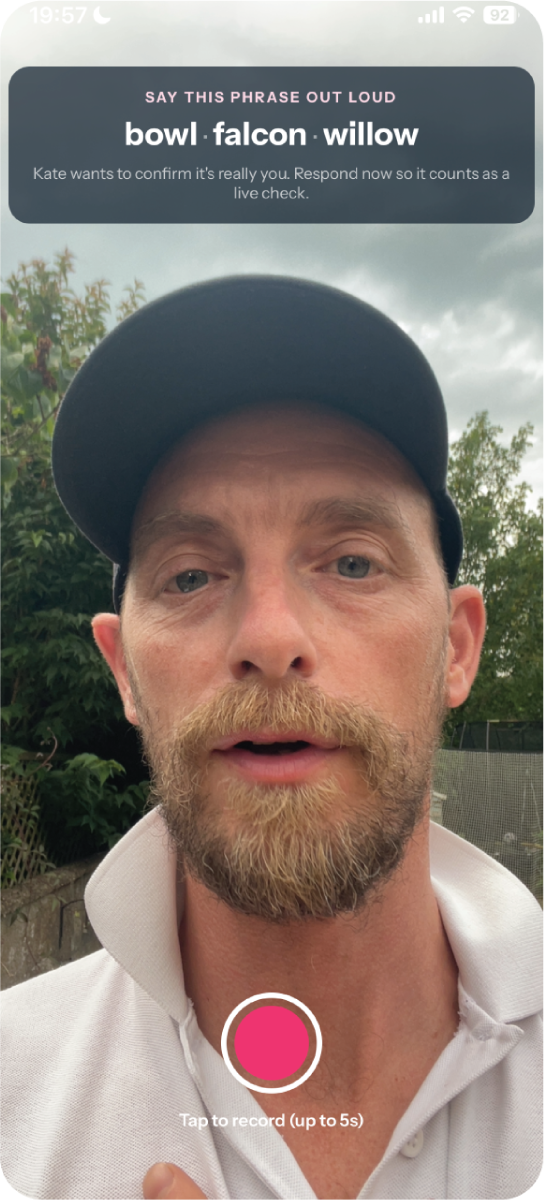
Send a SafeVideo challenge
Want to be certain? Ask for a quick video of them saying the phrase, end-to-end encrypted so only you can ever watch it.
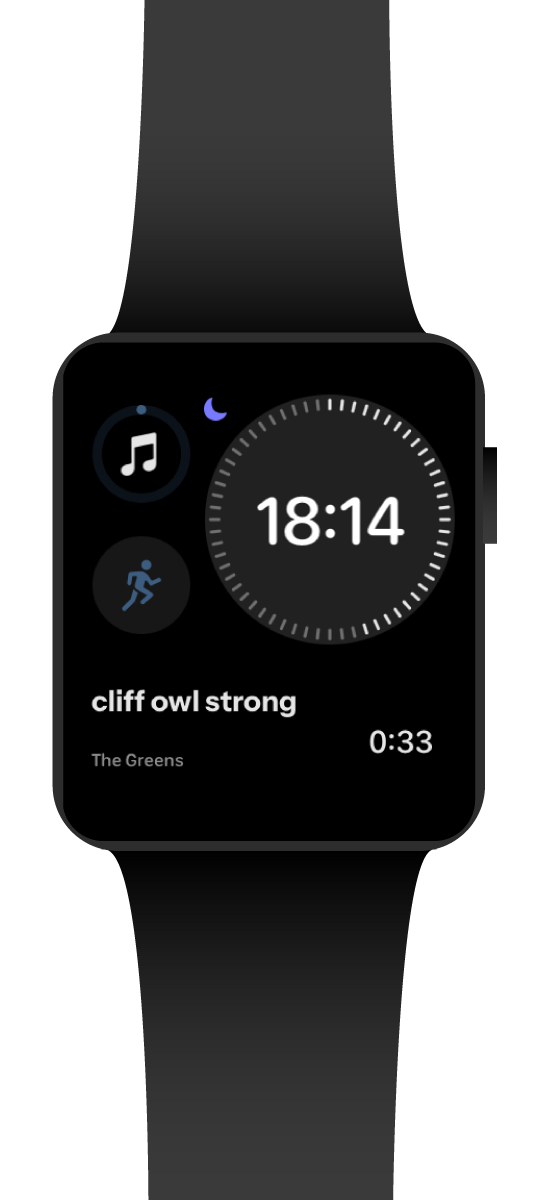
As simple as a glance
An Apple Watch complication keeps your live phrase right on the watch face, so you can confirm a caller without even reaching for your phone.
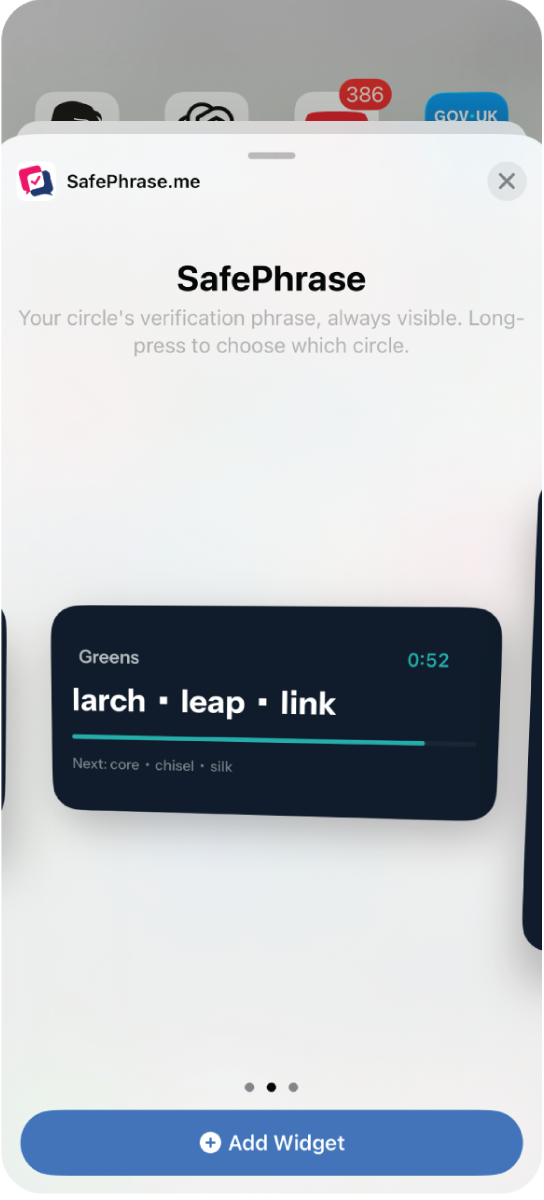
Glanceable widgets
Home-screen and lock-screen widgets keep your current phrase one look away, the instant you need it.
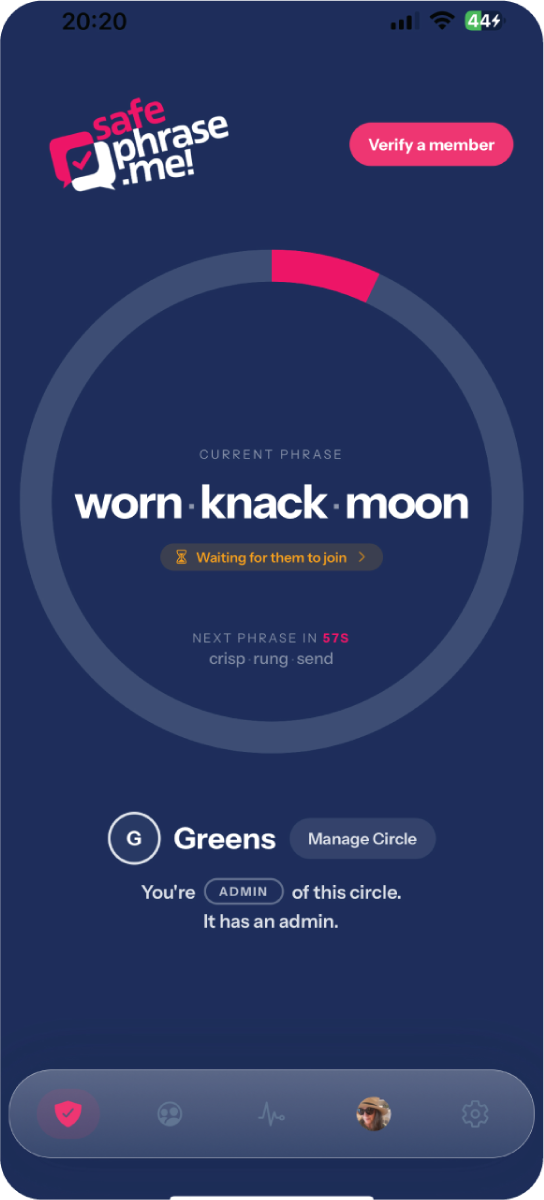
Nothing to remember
A unique phrase that rotates every minute. You never have to memorise a thing, just check it in the moment.
Pricing
Start free. Upgrade for more features and circles.
Free
- check_circle1 circle
- check_circleUnlimited members
- check_circleRotating phrase + widgets
Plus
- check_circleApple Watch app + complication
- check_circleUp to 4 circles
- check_circleEverything in Free
Pro
- check_circleUnlimited circles
- check_circleEverything in Plus
FAQ
Questions, answered
I’ve already agreed a safe phrase with my family. Why do I need this?
Agreeing a safe phrase is great advice, and it’s exactly the idea SafePhrase is built on. The difference is that a word you pick once can be forgotten in a panic, and if it’s ever overheard, guessed or phished it’s compromised for good. SafePhrase shows the current phrase on each person’s own device and changes it every 60 seconds, so there’s nothing to remember and an overheard phrase is useless moments later.
Is it really private?
Yes. The phrase is calculated on each person’s device from a shared secret. It’s never transmitted or stored on our servers. We can’t see it, and there’s nothing to intercept.
What if the person I’m checking doesn’t have the app?
Everyone in a circle needs the app once, during setup. After that you simply ask for the phrase on a normal phone call. Nothing else is required in the moment.
Could a scammer guess the phrase?
No. It’s three words drawn from a large list and it changes every 60 seconds, so even an overheard phrase is useless moments later.
Does it work offline?
Yes. Because the phrase is computed on-device from the shared secret, every phone shows the same phrase without needing a connection.
How do I protect my parents with it?
Create a circle, invite them, and help them install it once. Then if anyone calls claiming to be you in an emergency, they just ask for today’s phrase.
How do I know an invite is really from my family?
Invites can carry a short personal video of the sender, sealed inside the link: their face, their voice, and three check words your app verifies came from that exact invite. And the golden rule stands: never join a circle you weren’t expecting. If an invite surprises you, call the sender on a number you already have first.
Give your family a way to be sure.
Set up your first circle in minutes. It’s free.